> ## Documentation Index
> Fetch the complete documentation index at: https://docs.semgrep.dev/llms.txt
> Use this file to discover all available pages before exploring further.
# Change rule severity and other metadata by forking rules
To alter the severity or other metadata of a Semgrep rule, it must be forked and then updated. Forking means to copy or duplicate the rule, thereby creating your own custom version of it. Once this custom version is created, it can then be modified as needed.
**NOTE**
Only Semgrep Code and Secrets rules can be forked.
## Fork a rule
One way to create new rules is to fork an existing rule in the Semgrep Registry and modify it to meet your software and business requirements.
For example, Semgrep’s Java `crypto` ruleset prohibits the use of weak hashing algorithms `SHA-1` and `MD5`. However, your organization also prohibits the use of other hash functions as part of its standards or security compliance. The following steps illustrate the process of forking an existing `use-of-sha1` rule and changing it to forbid MD2 hashes.
Use the search bar to find relevant rules. For this example, you can search for rules using `SHA1`.
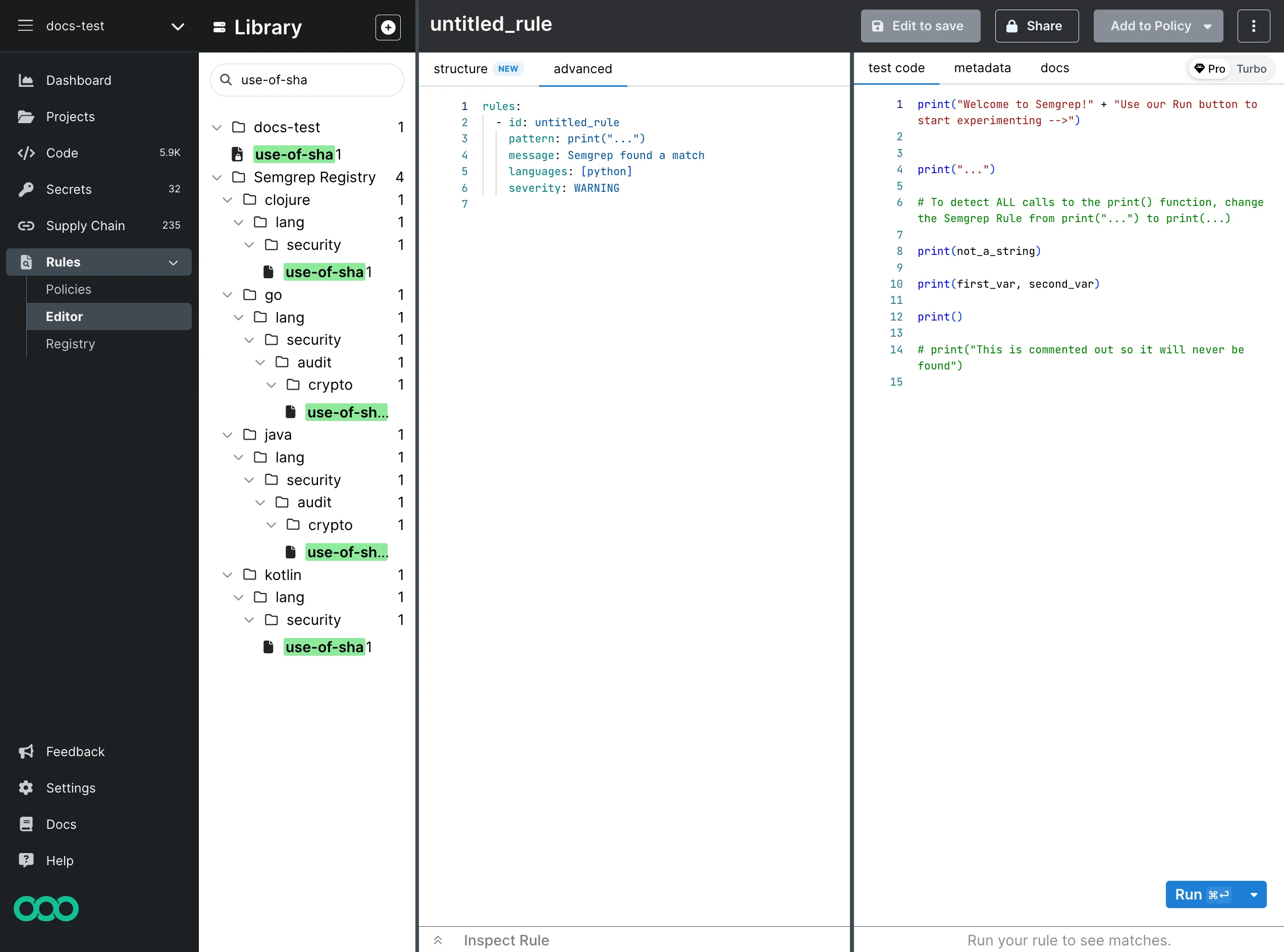 Under **java > lang > security > audit > crypto**, click **use-of-sha1** to load the rule. You cannot directly edit the rules in Semgrep Registry, so click **Fork** to make a copy.
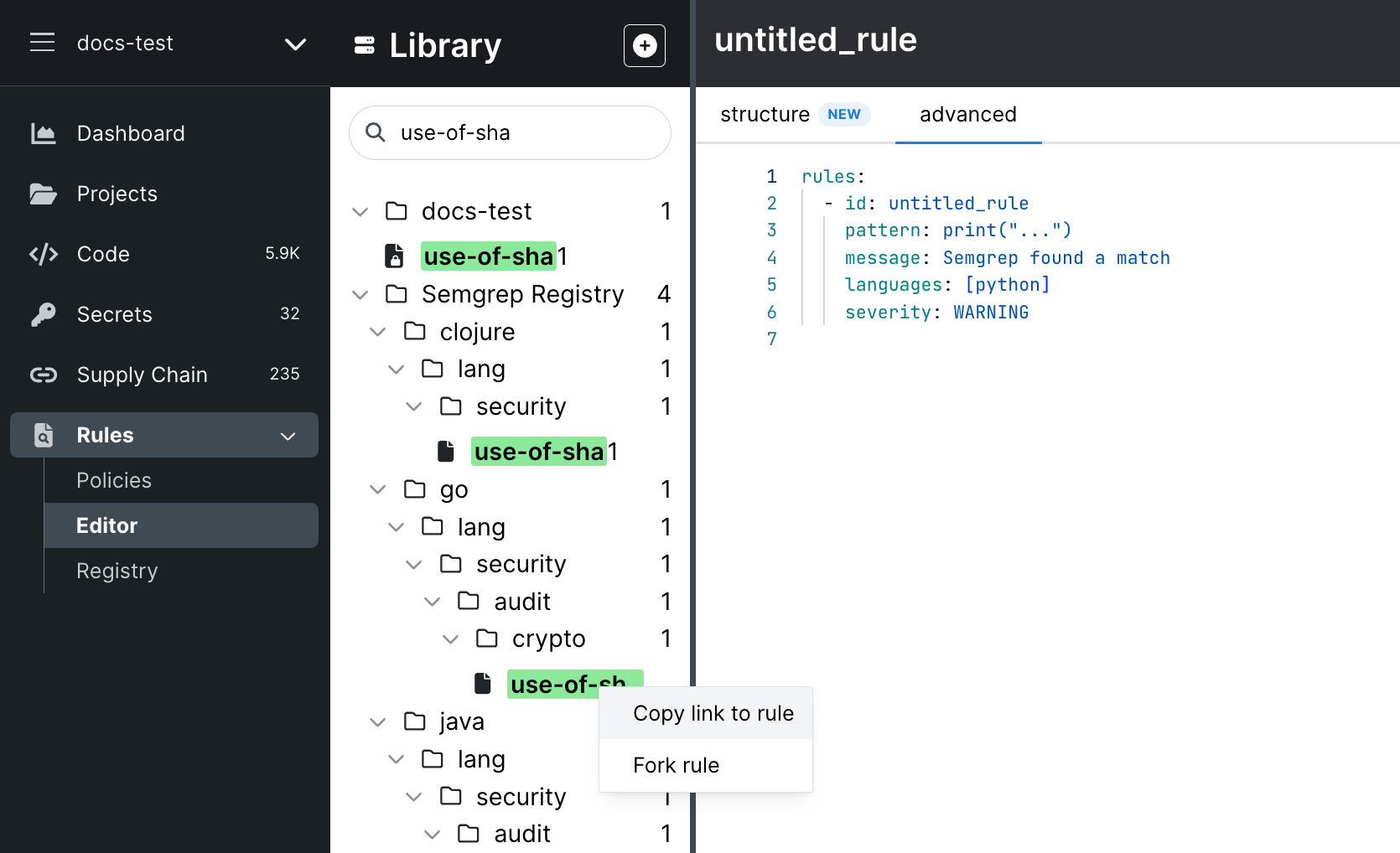 Semgrep copies the rule to your organization's set of rules.
Edit the rule.
Update your test cases.
Click **Run** to test and validate your rule.
When you finish your changes, click **Save**.
The following example shows how [the original rule, identifying uses of `SHA-1` and `MD5`, has been modified to find uses of MD2](https://docs.oracle.com/javase/9/specs/security/standard-names.html#messagedigest-algorithms) and the severity of such findings is increased from `WARNING` to `ERROR`.
When you fork a rule, the copy is independent from the original. To run your new rule in your scans, [add it to a policy](/semgrep-code/policies#add-rules). If you want your copy to replace the rule you forked, add it to a policy, then disable the original on the Policies page.
## Changing the severity
Once you have forked the rule, you can change the [severity or other metadata](/writing-rules/rule-syntax#required) to your liking.
Then, save this custom version of the rule to your organization's rules, making it available to use within your policy as defined in Semgrep AppSec Platform.
Semgrep copies the rule to your organization's set of rules.
Edit the rule.
Update your test cases.
Click **Run** to test and validate your rule.
When you finish your changes, click **Save**.
The following example shows how [the original rule, identifying uses of `SHA-1` and `MD5`, has been modified to find uses of MD2](https://docs.oracle.com/javase/9/specs/security/standard-names.html#messagedigest-algorithms) and the severity of such findings is increased from `WARNING` to `ERROR`.
When you fork a rule, the copy is independent from the original. To run your new rule in your scans, [add it to a policy](/semgrep-code/policies#add-rules). If you want your copy to replace the rule you forked, add it to a policy, then disable the original on the Policies page.
## Changing the severity
Once you have forked the rule, you can change the [severity or other metadata](/writing-rules/rule-syntax#required) to your liking.
Then, save this custom version of the rule to your organization's rules, making it available to use within your policy as defined in Semgrep AppSec Platform.
 By default, saving the rule also enables you to search for it in the [Semgrep Registry](https://semgrep.dev/r), with visibility limited to your organization.