Integration
Follow these steps to prepare DefectDojo and generate Semgrep findings in the proper format:1
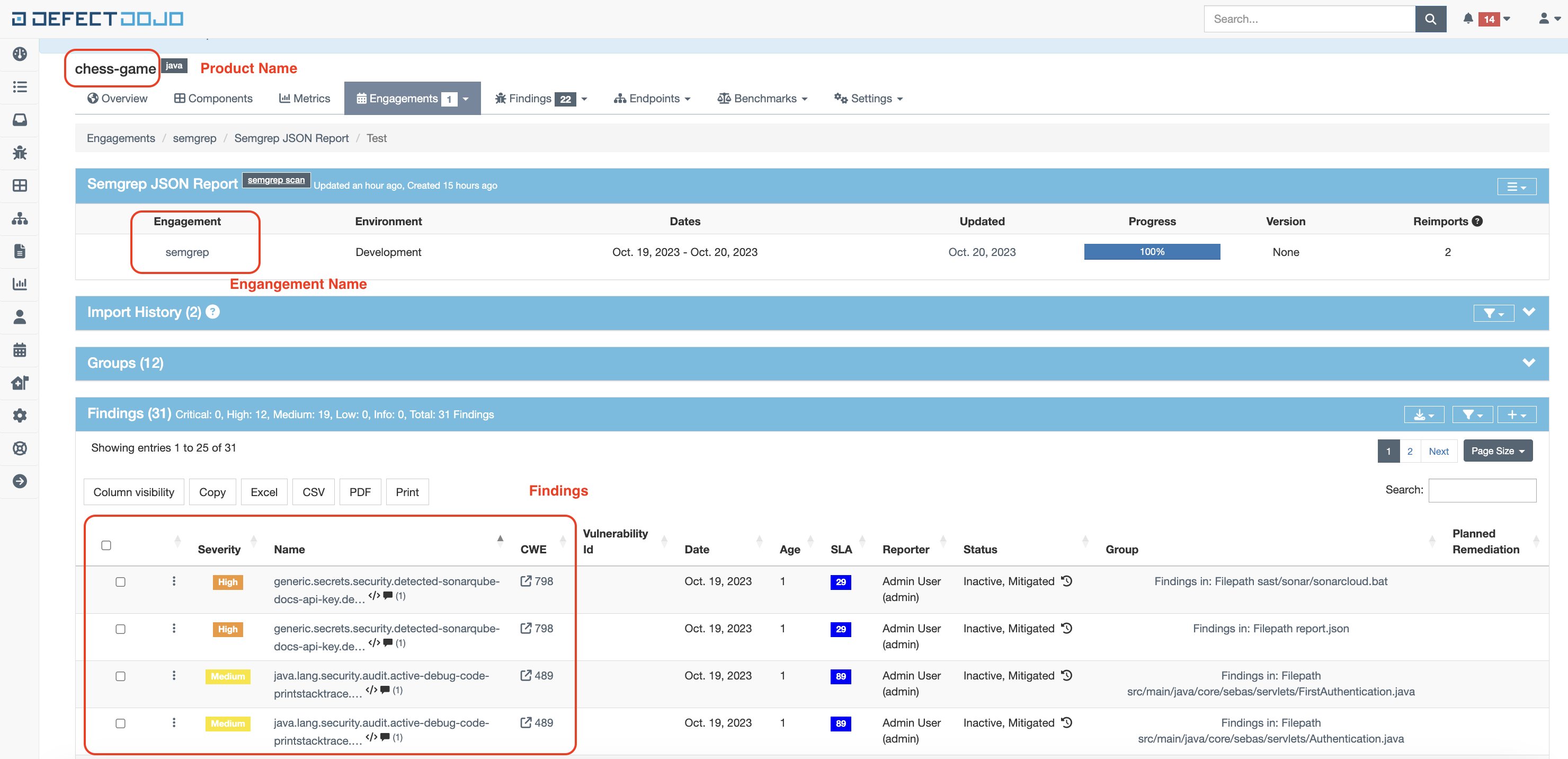
In DefectDojo:i. Create your product.
ii. In that DefectDojo product, create an engagement, called
ii. In that DefectDojo product, create an engagement, called
semgrep. This is a CI/CD engagement type and the name designates the CI/CD tool used.2
Run semgrep as
semgrep ... --json > report.json to generate a JSON report.DefectDojo API example
To run API DefectDojo operations such as GET, POST, and DELETE, an API token is necessary. To get it, follow the API guide. Once you have a token, store it as an environment variable namedDEFECT_DOJO_API_TOKEN:
/api/v2/import-scan/ endpoint for the first import and the /api/v2/reimport-scan endpoint for following imports.
These endpoints take the following parameters:
file: The Semgrep scan findings report or export in JSON format.scan_type: A descriptive name for the scan type. In this example, the scan type is “Semgrep JSON Report”.product_name: The name of the product in DefectDojo to send the Semgrep findings report to.engagement_name: The name of the engagement you created in the preceding “Integration” section. In this example,semgrep.
INFOThe DefectDojo API allows identifying the parameters either by name or by ID. This example follows the By name approach.
Running the script
To continue with the preceding example and run the script, execute the following command:python3 integrations/defectdojo/import_semgrep_to_defect_dojo.py —host DOJO_URL —product PRODUCT_NAME —engagement ENGAGEMENT_NAME —report REPORT_FILEDOJO_URLis the URL where DefectDojo is.PRODUCT_NAMEis the DefectDojo product name.ENGAGEMENT_NAMEis the DefectDojo engagement name for that product.REPORT_FILEis the Semgrep report path.
Integrating Semgrep and DefectDojo in a CI pipeline
To prevent tampering with findings, it is crucial to import scan results to DefectDojo in the same pipeline or CI job as the scan itself. The following is an example of a GitLab job importing Semgrep findings to DefectDojo:gitlab-ci.yml file, such as:
DEFECTDOJO_URLPRODUCTIMPORT_SEMGREP_TO_DEFECTDOJO_SHA_CHECKSUM
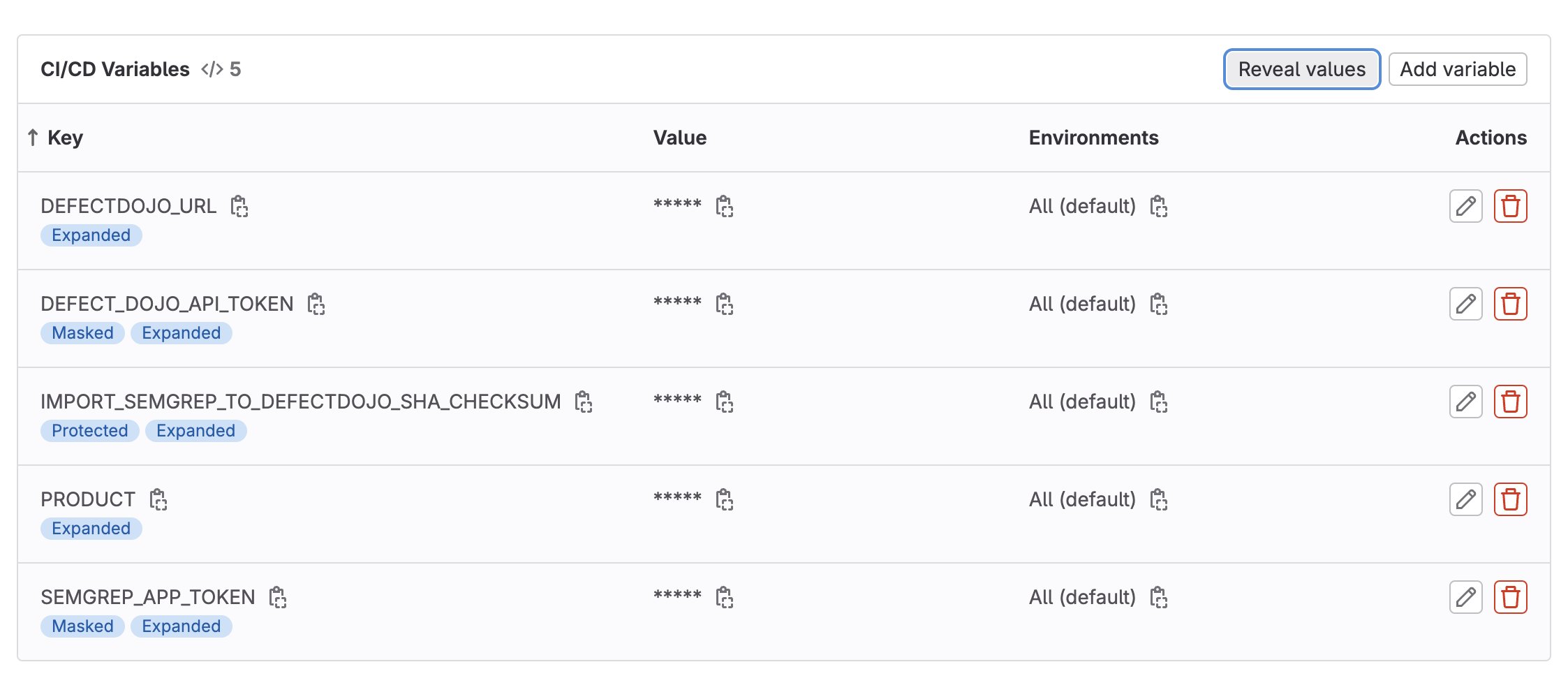
DEFECTDOJO_URL= http://localhost:8080/ (Local DefectDojo deployment)PRODUCT= chess-gameIMPORT_SEMGREP_TO_DEFECTDOJO_SHA_CHECKSUM= c41aed4055adeee415b795cc17a069b144fb51bc31f6c4925be3b82d0b54de33 Uimport_semgrep_to_defect_dojo.py
shasum -a 256 -U import_semgrep_to_defect_dojo.py
This command generates a unique checksum, taking as input the content of the script, and it will be used to verify that the script has not changed.
In the pipeline, the integrity of the script is verified with the following commands: