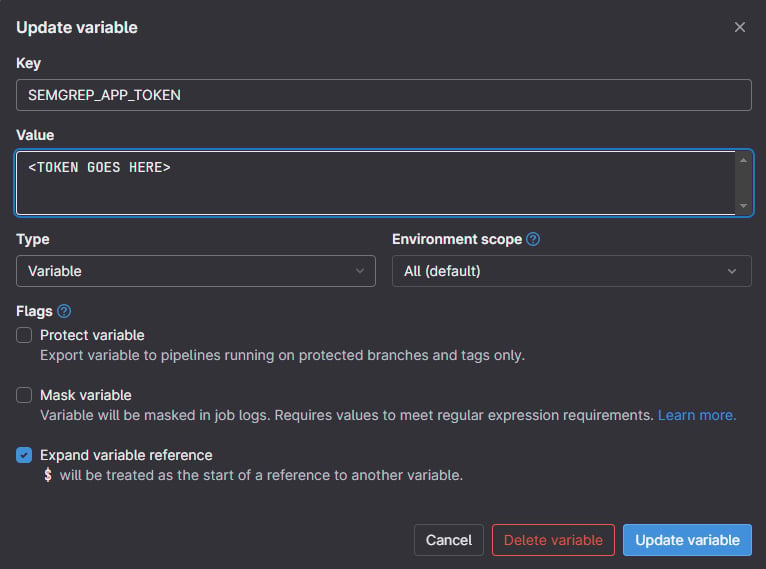
Invalid header value b'Bearer *******************************************************'
Traceback (most recent call last):
  File "/usr/local/lib/python3.11/site-packages/semgrep/commands/wrapper.py", line 35, in wrapper
    func(*args, **kwargs)
  File "/usr/local/lib/python3.11/site-packages/semgrep/commands/ci.py", line 242, in ci
    deployment_name = auth.get_deployment_from_token(token)
                      ^^^^^^^^^^^^^^^^^^^^^^^^^^^^^^^^^^^^^
  File "/usr/local/lib/python3.11/site-packages/semgrep/app/auth.py", line 17, in get_deployment_from_token
    r = state.app_session.get(
        ^^^^^^^^^^^^^^^^^^^^^^
  File "/usr/local/lib/python3.11/site-packages/requests/sessions.py", line 602, in get
    return self.request("GET", url, **kwargs)
           ^^^^^^^^^^^^^^^^^^^^^^^^^^^^^^^^^^
  File "/usr/local/lib/python3.11/site-packages/semgrep/app/session.py", line 188, in request
    response = super().request(*args, **kwargs)
               ^^^^^^^^^^^^^^^^^^^^^^^^^^^^^^^^
  File "/usr/local/lib/python3.11/site-packages/requests/sessions.py", line 589, in request
    resp = self.send(prep, **send_kwargs)
           ^^^^^^^^^^^^^^^^^^^^^^^^^^^^^^
  File "/usr/local/lib/python3.11/site-packages/requests/sessions.py", line 703, in send
    r = adapter.send(request, **kwargs)
        ^^^^^^^^^^^^^^^^^^^^^^^^^^^^^^^
  File "/usr/local/lib/python3.11/site-packages/requests/adapters.py", line 486, in send
    resp = conn.urlopen(
           ^^^^^^^^^^^^^
  File "/usr/local/lib/python3.11/site-packages/urllib3/connectionpool.py", line 714, in urlopen
    httplib_response = self._make_request(
                       ^^^^^^^^^^^^^^^^^^^
  File "/usr/local/lib/python3.11/site-packages/urllib3/connectionpool.py", line 415, in _make_request
    conn.request(method, url, **httplib_request_kw)
  File "/usr/local/lib/python3.11/site-packages/urllib3/connection.py", line 244, in request
    super(HTTPConnection, self).request(method, url, body=body, headers=headers)
  File "/usr/local/lib/python3.11/http/client.py", line 1283, in request
    self._send_request(method, url, body, headers, encode_chunked)
  File "/usr/local/lib/python3.11/http/client.py", line 1324, in _send_request
    self.putheader(hdr, value)
  File "/usr/local/lib/python3.11/site-packages/urllib3/connection.py", line 224, in putheader
    _HTTPConnection.putheader(self, header, *values)
  File "/usr/local/lib/python3.11/http/client.py", line 1261, in putheader
    raise ValueError('Invalid header value %r' % (values[i],))
ValueError: Invalid header value b'Bearer *******************************************************'