
Documentation Index

Fetch the complete documentation index at: https://docs.semgrep.dev/llms.txt

Use this file to discover all available pages before exploring further.

For rulesets in the Semgrep Registry, if you add a ruleset to one of your policies, the policy receives updates and additions to the ruleset on an ongoing basis. When a rule is added to a ruleset, or when changes make a rule more comprehensive or more precise, your policy automatically picks up those changes. As a result, the next full scan of the project may surface new findings from the new or updated rules. For Semgrep-curated rulesets, you can view each rule’s history to see recent changes:
1
Open the rule in the Editor.
2
Click the GitHub icon shown next to the rule ID to access the commit history.
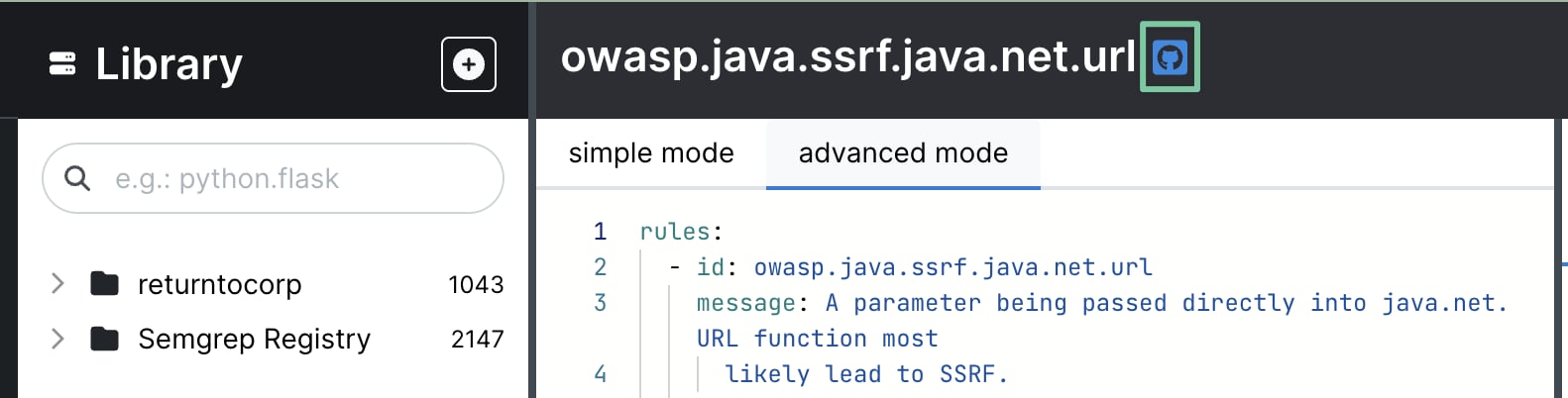
GitHub icon to view rule history in the Semgrep Editor
There are some Registry rulsets that have an alternative curator - these do not show “by Semgrep”. For these rules:
1
Expand the rule within the registry by clicking on the rule card to view its details.
2
Click “Source for rule” under the example code to visit the rule source.
If you have questions or concerns about rule updates for Semgrep Registry rulesets, please feel free to reach out.