

1
Ensure that you’ve created your private rules and published them so that they’re available to your organization.
2
Once you’ve published your rules, activate the rules by setting the rules’ You can also validate
policyMode parameters using the Update policies endpoint.This endpoint requires you to provide the rulePath, which is the Organization slug + . + the Rule ID. You can find the Organization slug in Semgrep AppSec Platform under Settings > General > Identifiers, and you can see the Rule ID defined in the rule’s YAML file.Example:rulePath from the publish command output:Considerations
-
The folder structure of your rules repository doesn’t affect the rules published. For example, if you have two rules in
./rules/examples/, and you publish them usingsemgrep publish ./rules, there aren’t mentions ofexamplesin Semgrep AppSec Platform even though it’s in the repository path:Two rules with the same ID can cause confusion, since the newer rule is the one reflected in Semgrep AppSec Platform.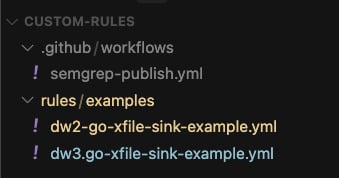
Figure. Sample custom rules folder structure.
-
Strings in the rule ID separated by periods
.are treated by Semgrep as labels. For example, if the rule ID isdw3.go-xfile-sink-example, the displayed rule name isgo-xfile-sink-example:Furthermore, multiple rules with similar names are distinguished by their labels, which always include the organization slug. In the following example, there are two rules with the Rule name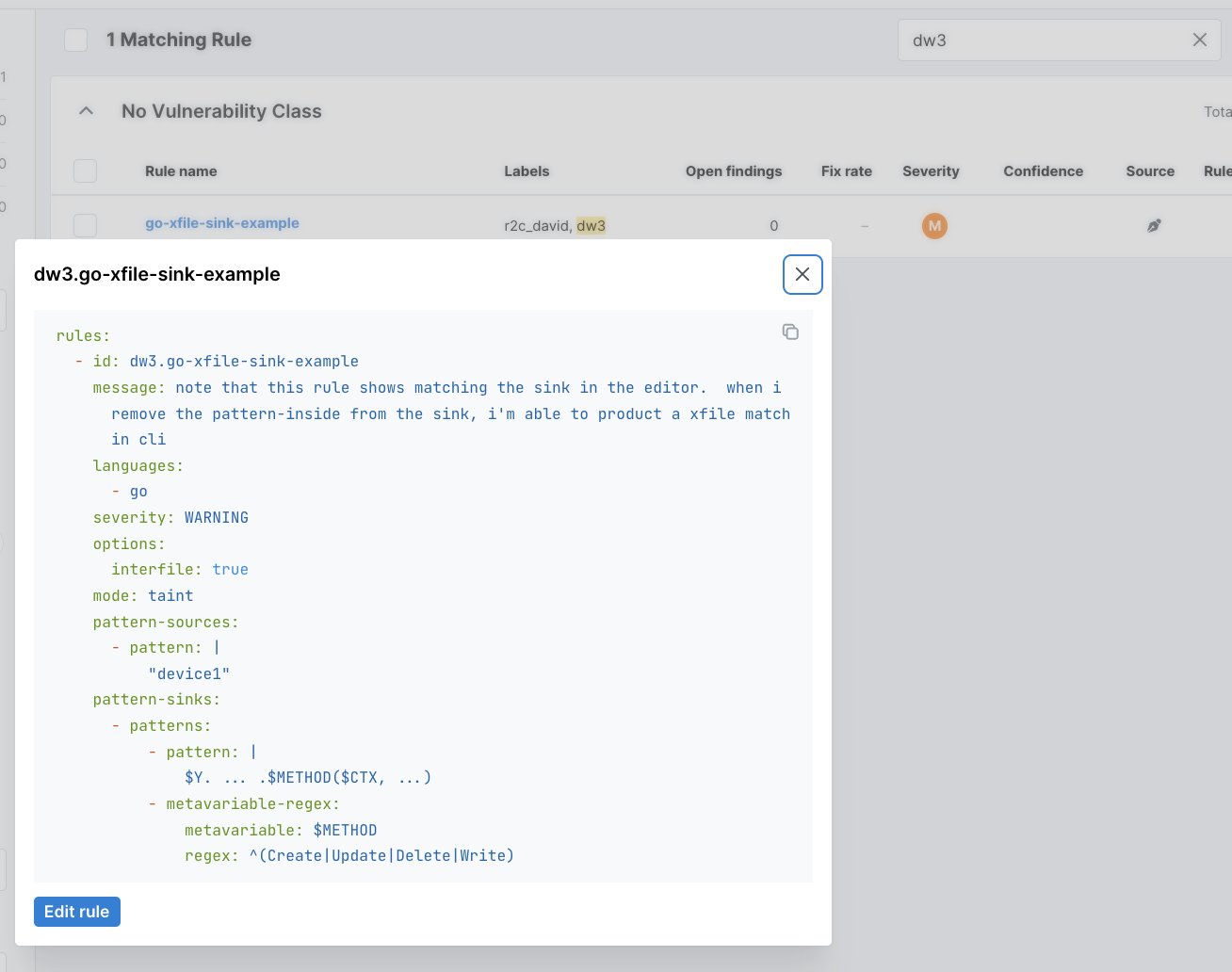
Figure. The YAML file shows the ID with label information.
go-xfile-sink-example, but the Labels are different: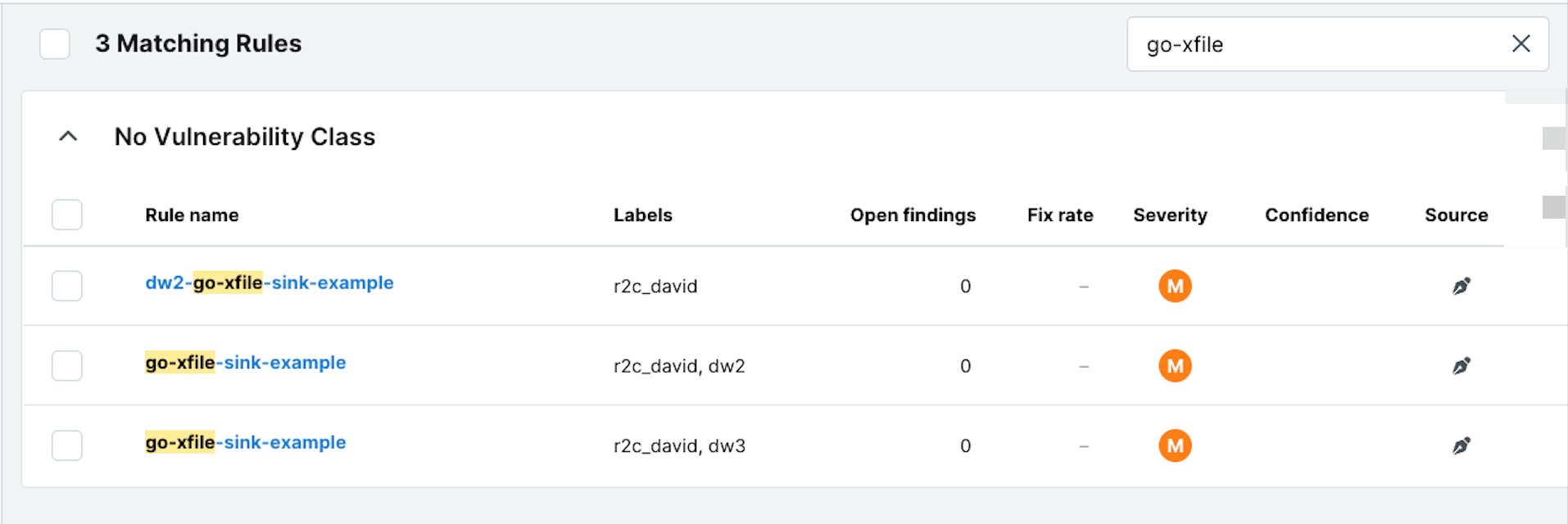
Figure. The list of rules in Semgrep AppSec Platform.
- You can structure your custom rules repository as needed. However, to help manage your repository in a scalable manner, Semgrep suggests using the path structure and assigning each of your teams its own folder. Then, create a build step that incorporates some of this path data from the repository into the rule IDs’ names before publishing. This way, you have labels in Semgrep AppSec Platform that include information about the origins of the rule, and the labels prevent naming conflicts that could lead to one rule overwriting another rule.