

- Prevent issues from merging into production or default branches. This improves security posture and reduces the growth of the vulnerability backlog.
- Reduce the time and cost to address issues—the earlier a vulnerability is detected, the faster it is to fix.
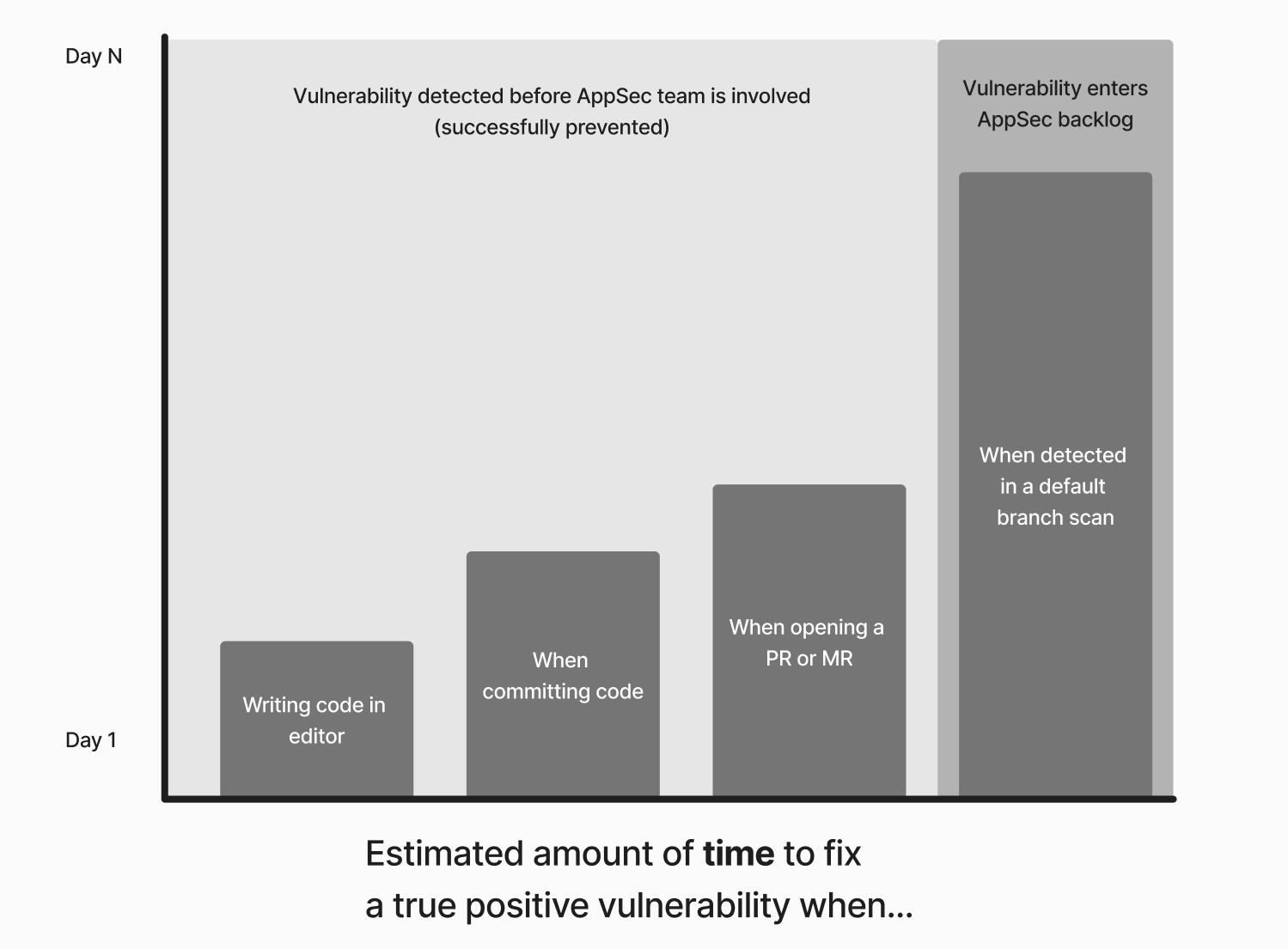
Secure guardrails maximize the potential impact of early detection by providing tailored remediation guidance to developers. (Chart for illustration purposes only.)
The content that identifies, explains, and provides remediation guidance for the security issue, such as the Semgrep rule and Semgrep Multimodal (AI) remediation guidance. Semgrep uses rules, which are instructions that detect patterns in your code, such as security issues, bugs, and more. Semgrep generates and reports findings to you whenever it finds code that matches the patterns defined by rules. Semgrep rules also include a message that guides remediation and provides other metadata about the vulnerability, such as its OWASP category, which are presented to the developer. Further improvements to this guidance are made through Semgrep Multimodal. Interface
The developer-native interface where the developer can see the content and triage or remediate the finding, such as Visual Studio Code (VS Code), pre-commit on CLI, or GitHub pull request comments. See all supported interfaces.
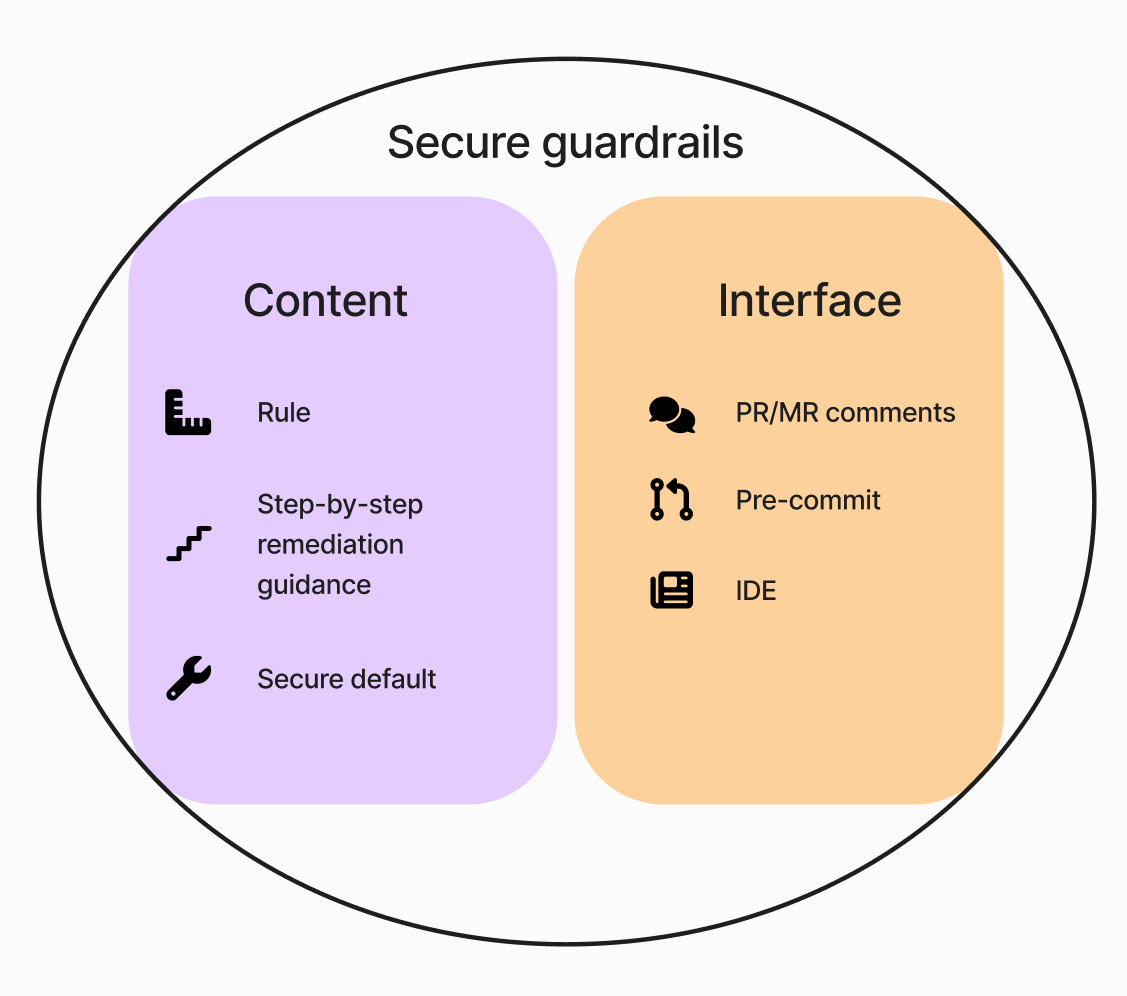
Qualities of secure guardrails
Speed
Scans must be quick to successfully integrate into developer workflows without slowing them down. The following table lists the speed of a Semgrep scan in relation to the environment the scan is run in:Support for developer interfaces (pre-build)
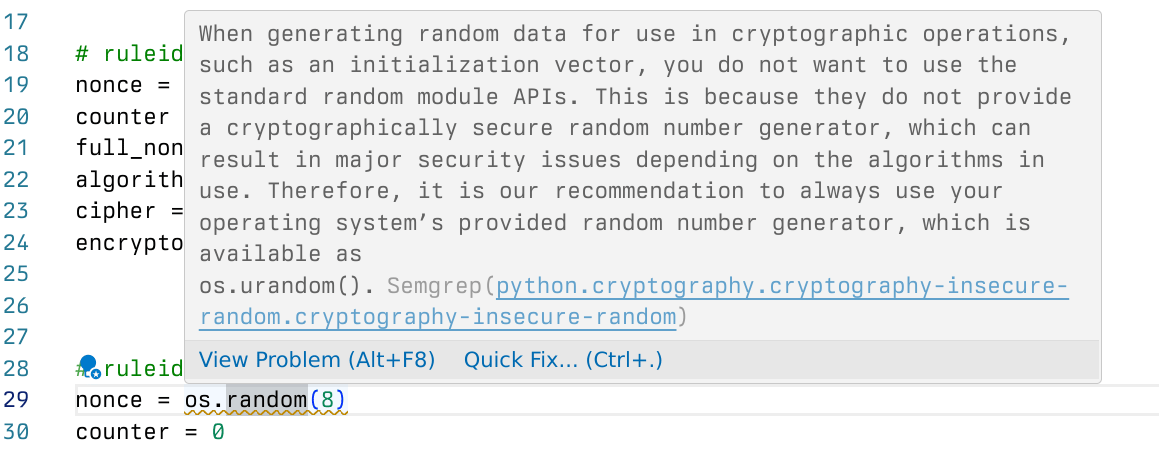
Guardrails should be able to provide remediation guidance and means to triage findings or give feedback within developer interfaces. Semgrep supports the following interfaces:
*To receive Multimodal guidance, check that your source code manager (SCM) is supported: list of supported source code managers (SCMs).

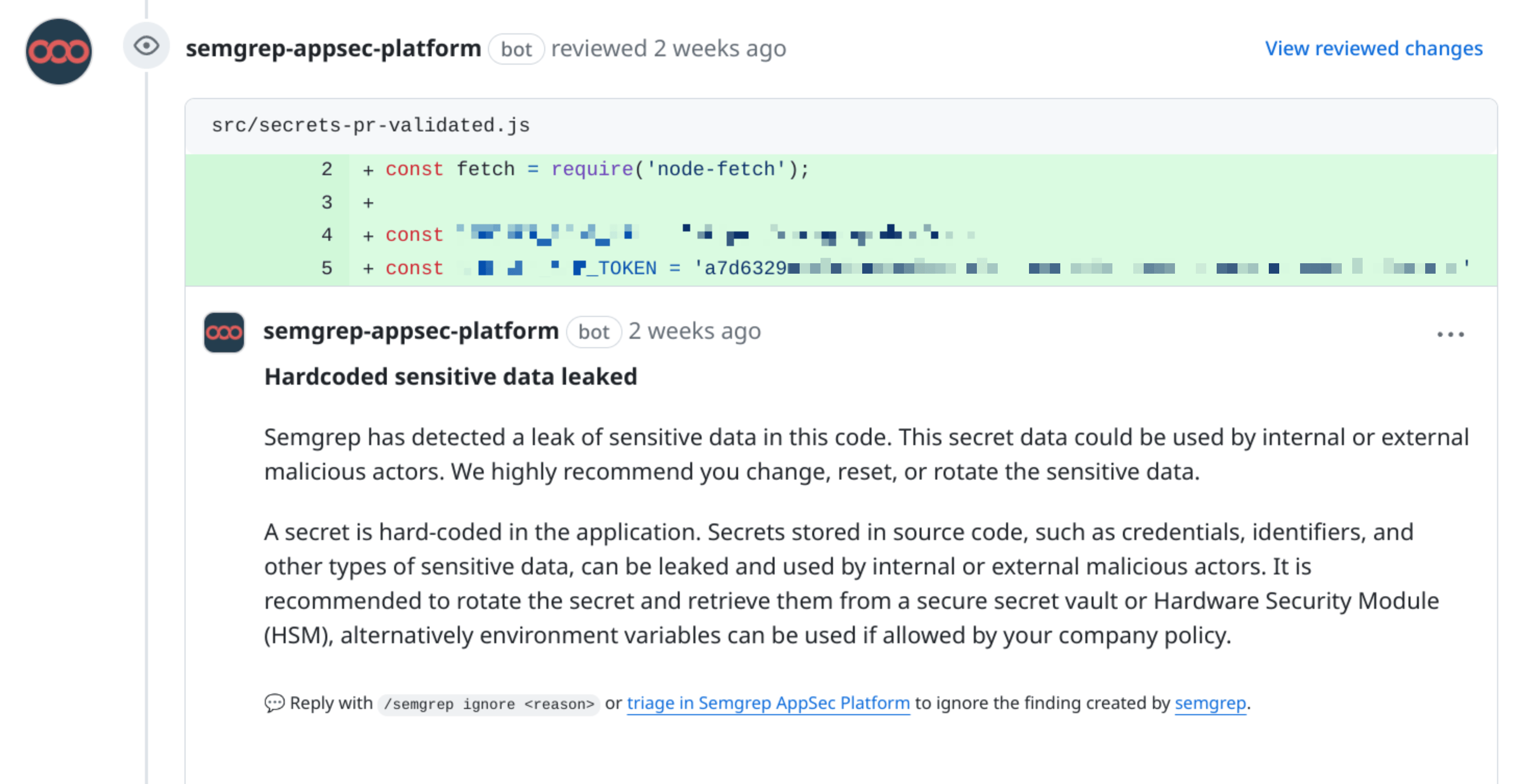
A PR comment detecting a hardcoded secret.
Customizability
Every organization has its own secure coding practices. Customizability ensures that the tool can adapt to the unique needs of an organization. Semgrep provides customizability through:- Custom rules: You can create custom rules and deploy them as guardrails. Learn more about Semgrep rule structure in the next section.
- Memories: this feature allows you to add and save additional context when Semgrep Multimodal provides remediation. For example, you can provide organization-specific public keys, which Semgrep Multimodal remembers.
Remediation guidance
Remediation guidance can come in three forms:- The rule’s
message - AI-generated remediation guidance through Semgrep Multimodal
- The rule’s
fix
- Customize remediation through your organization-specific rules.
- Writing your own rules provides you with a means to tailor Semgrep to your organization with or without Multimodal.
- Write and deploy guardrails of your own.
Click to view a line-by-line explanation of each field in the sample rule.
Click to view a line-by-line explanation of each field in the sample rule.
The rule message
This description explains why the finding was generated and outlines general advice on resolving the issue. Messages notify developers in all interfaces where you’ve deployed a guardrail.
Remediation guidance (Semgrep Multimodal)
This is a tailored, step-by-step outline of what a developer must change to fix the insecure code. The guidance makes use of the Semgrep rule, AI’s understanding of code, and a prompt tree that incorporates inputs such as:- Prior triage decisions
- Custom instructions
- Broader context of the file
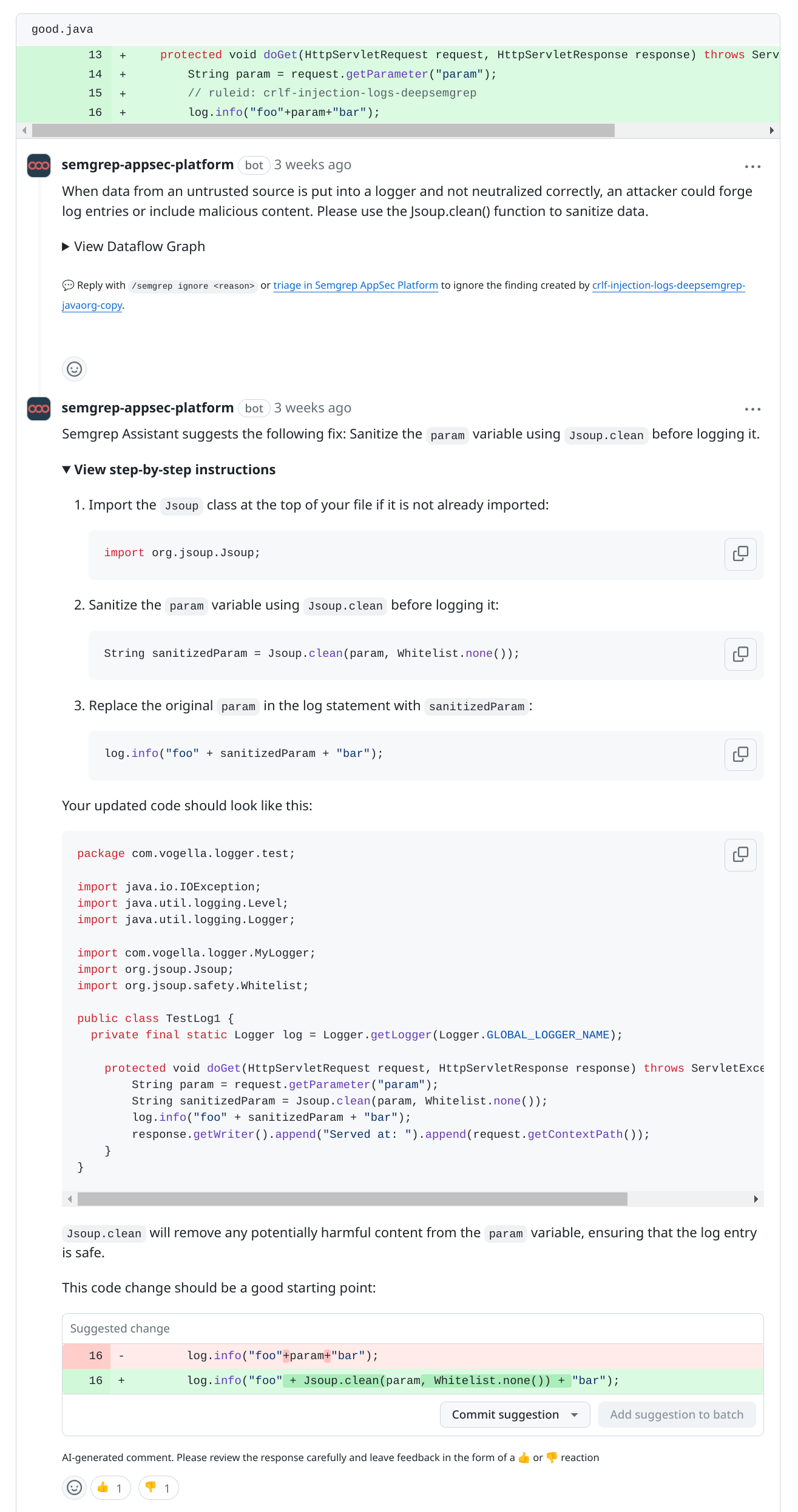
Remediation guidance in a pull request comment.
INFO
- Within developer-native interfaces, Semgrep Multimodal only appears in PR or MR comments. Remediation guidance does not appear in the IDE or
pre-commit. - You can adjust when remediation guidance is shown to developers based on the level of confidence in the guidance.
Suggested fix (Semgrep Multimodal)
When enabled, Suggested fix includes suggestions on how to fix the insecure code. Suggested fix does not include inline code diffs. For AI-generated code changes, use Autofix from Semgrep AppSec Platform.Rule-defined fix
Sometimes a rule can resolve a finding by replacing an insecure function with a secure one. These rules make use of Semgrep’s Rule-defined fix feature, which lets rule-writers provide a human-written deterministic fix that developers can commit directly from a pull request or merge request comment. For AI-generated code changes that open a draft pull request or merge request, use Semgrep’s Autofix feature.Deploy secure guardrails
Prerequisites
For AppSec engineers
- You have completed a Semgrep core deployment.
- Your Policies page should have at least one rule.
For developers
- You must have a Semgrep account.
- You must have joined your Semgrep organization.
- To use Semgrep with your IDE, you must install the extension for the IDE and sign in to Semgrep through the extension.
- To use Semgrep with
pre-commit, you must install and set uppre-commit, then sign in to Semgrep through the CLI.
Next steps
- Learn about secure defaults and their implementation in Semgrep.
- Create custom rules that you can deploy as guardrails.