

A project is scanned automatically when it meets all of the following conditions:
- The project is onboarded to Semgrep Managed Scans and set up to run Supply Chain scans.
- At least one of the project’s dependencies belongs to an ecosystem affected by the incident. For example, during an
npmcompromise, projects withnpmdependencies are rescanned.
Prerequisites
Ensure that:- You have either enabled Slack notifications or set up webhooks.
- Your organization uses Unified Policies.
Set up incident notifications
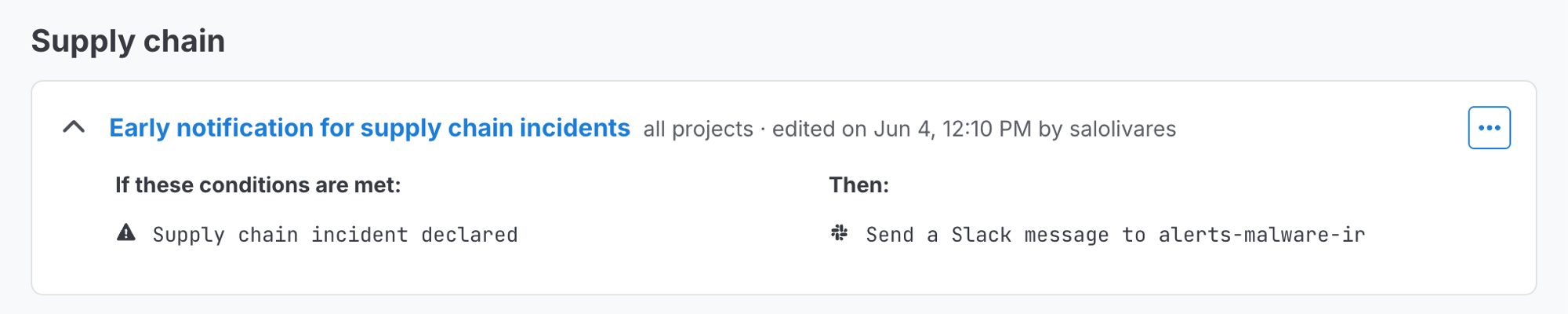
The Early notification for Supply Chain incidents policy on the Policies page.
1
In Semgrep AppSec Platform, go to Rules & Policies > Policies.
2
Find the policy named Early notification for Supply Chain incidents. Click its icon, then select Edit policy.
3
Set up which Actions occur when a Supply Chain incident is declared by clicking on the Add action button. You can choose multiple Actions, including:
Send a Slack message
Call a webhook
4
Click Update.
5
You will be redirected back to the Remediation policies page. Click the policy’s icon, then select Enable policy.
What to do during an incident
Every notification includes a View incident advisories button that takes you to the Advisories page, filtered to that incident. A View blog post button appears when Semgrep has published a blog post about the incident.1
Click View incident advisories to see the list of related advisories, including compromised packages and versions.
2
If your notification lists affected projects, initiate a scan on them to confirm and get up-to-date findings. Projects that are eligible for automatic rescanning are already being scanned, so you don’t need to start those scans yourself.
3
Remove or upgrade any compromised dependencies you find, then re-scan to confirm the findings clear. See Detect and remove malicious dependencies for remediation guidance.